4 mins min read • 9 November 2026


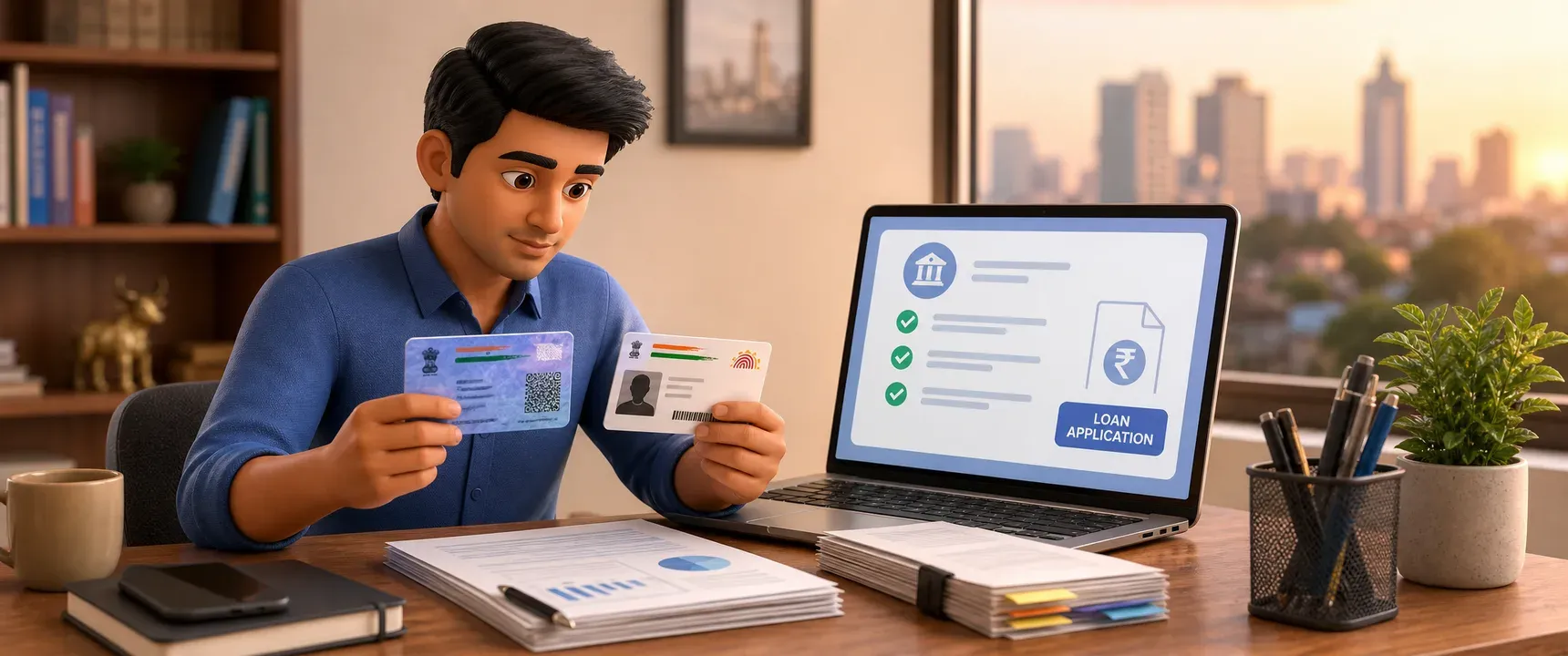
Table of content
Mistakes to avoid before submitting business loan documents online
Why documents cause delays
Numbered mistakes to avoid
How to prepare a clean submission
Why this matters for MSMEs
FAQs
A single mismatched digit on your PAN card can stall a business loan application for weeks. For MSMEs, self-employed professionals, and first time applicants in India, the document preparation stage is where most rejections begin. mPokket helps borrowers understand these preventable errors so they can submit clean, complete applications through digital lending platforms.
Follow our Whatsapp Community for more offers and updates.
Join nowDigital lending platforms process thousands of applications daily. Automated systems scan uploaded files for readability, data consistency, and completeness. When a document fails any of these checks, the application enters a manual review queue or gets returned.
The borrower then has to re-upload, which adds days to the timeline. For a small business owner waiting on inventory funds or vendor payments, that delay can mean lost revenue. Understanding the common pitfalls before you hit submit saves both time and opportunity.
Your PAN card name must match your Aadhaar card name exactly. Even small differences, such as initials versus full names or spelling variations, can trigger a KYC failure. Before applying, compare both documents side by side. If they differ, update one through the relevant government portal first.
Unreadable uploads are a top reason for document rejection. Photographs taken in low light, partially cropped images, or files with glare make it impossible for automated OCR systems to extract data. Use a scanner app on your phone. Ensure all four corners of the document are visible and text is sharp.
Lenders typically require bank statements from the last 6 to 12 months. Submitting statements older than three months signals that your cash flow data is stale. Download fresh statements from your bank's net banking portal on the same day you apply, or as close to it as possible.
A GST registration certificate, Udyam MSME certificate, or shop establishment license serves as business proof. Many applicants upload only one when the lender asks for two, or they submit an expired registration. Check the lender's document checklist carefully. Ensure every certificate is current and clearly legible.
Providing an account number that does not match the name on your PAN or Aadhaar creates a verification failure. Some applicants accidentally submit a personal savings account instead of their business bank account. Double check the account number, IFSC code, and account holder name before uploading a cancelled cheque or bank statement.
Self-employed applicants and MSME owners sometimes skip uploading profit and loss statements or balance sheets. Others submit figures that contradict their bank statements. Lenders cross-reference these documents. If your reported turnover does not align with bank deposits, the application gets flagged for manual review.
Most digital lending platforms accept PDF or JPEG files within a specific size limit, often 2 to 5 MB per file. Uploading a Word document, a password-protected PDF, or a file that exceeds the size cap can cause the upload to fail silently. Convert documents to the accepted format and compress large files before submission.
Start by downloading the lender's exact document checklist. Platforms like mPokket are designed to list required documents clearly within the app. Gather every item before you begin the application. Scan each document in good lighting and save it in the correct format.
Cross-verify your name, date of birth, and address across PAN, Aadhaar, and bank records. Any inconsistency, no matter how minor, can slow down digital KYC verification. If corrections are needed, complete them through UIDAI or the Income Tax Department portal before you apply.
Finally, review every upload before hitting submit. Open each file on your phone to confirm it is legible, complete, and matches the label you assigned. This five minute review can prevent a week of back and forth with the lender.
For small business owners, a delayed loan means delayed inventory restocking, missed vendor payment deadlines, or stalled expansion plans. Digital lenders evaluate repayment capacity based on recent, accurate financial data. Clean documents signal a well-organized business, which can positively influence approval speed.
mPokket is designed to support MSMEs, self-employed professionals, and first time borrowers with a paperless, app-based business loan process. By avoiding the seven mistakes listed above, applicants can help reduce friction and move closer to faster disbursal.
Take ten minutes to audit your documents before your next application. Match every name, refresh every statement, and scan every page clearly. That small effort is often the difference between approval and an avoidable rejection.
Common requirements include PAN card, Aadhaar card, recent bank statements (6 to 12 months), GST or Udyam certificate, business address proof, and financial statements. Each lender may have a slightly different checklist, so verify before uploading.
Compare the name, date of birth, and spelling on both documents before applying. If there is any difference, update the record through the UIDAI or Income Tax Department portal first. Matching details help digital KYC verification proceed without delays.
Most digital lenders accept JPEG or PDF files. If you use a phone camera, ensure the image is well lit, uncropped, and sharp. Scanner apps can convert photos into clean PDFs that meet typical upload requirements on platforms like mPokket.
₹1,000 Instant Loan: Why Can the Amount Credited Be Lower Than the Sanctioned Amount?
3 min read • 11 October 2026
How Can Self-Employed Professionals in Ahmedabad Benefit from Instant Loans?
3 min read • 29 September 2025
How Can CIBIL Defaulters in Mumbai Improve Their Chances of Getting a Personal Loan?
3 min read • 22 August 2026
5 Reasons Your Business Needs a Working Capital Loan
4 min read • 28 July 2026
Where Can Self-Employed Individuals in Indore Get Personal Loans Easily?
4 min read • 10 March 2026
Working Capital Loan: Everything Small Businesses Should Know
5 min read • 17 July 2026
