4 mins min read • 1 October 2026


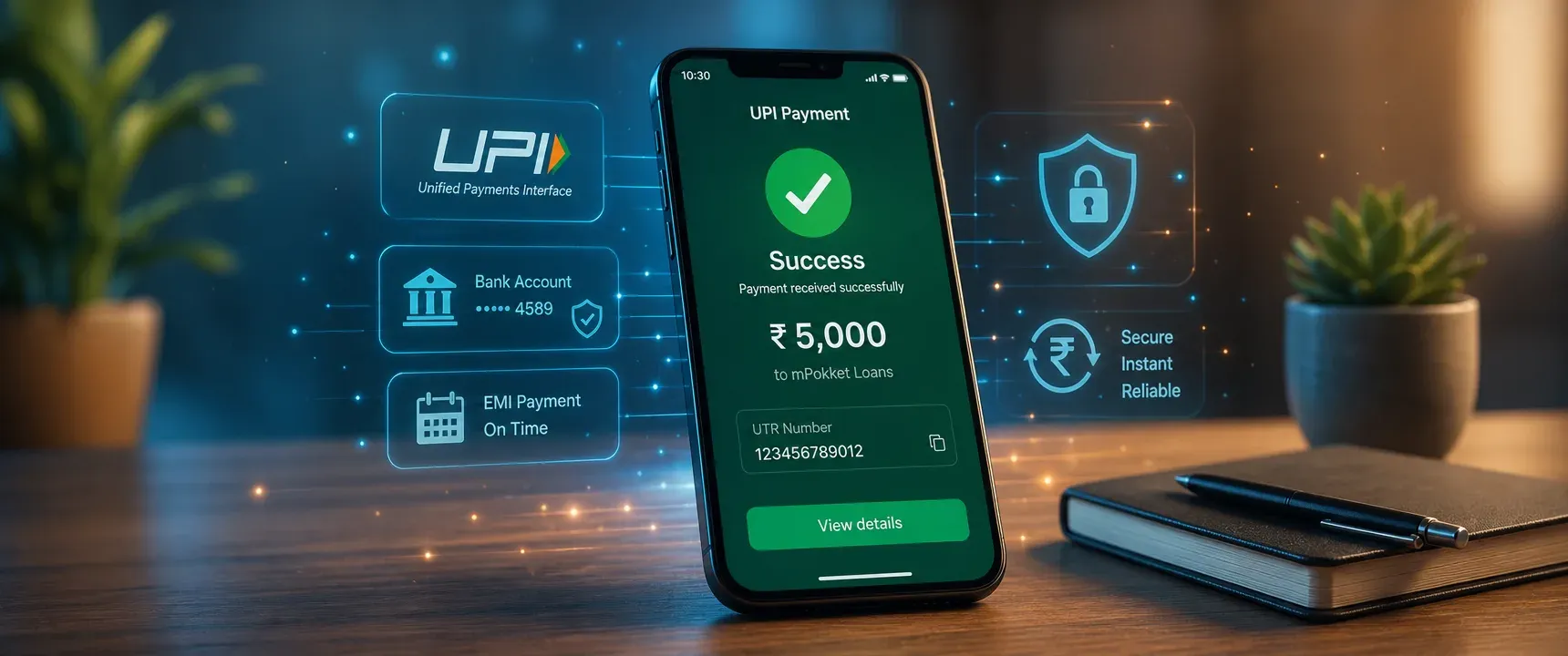
Table of content
Overview
How UPI loan repayment works
Best practices for UPI repayment
What to do when a payment fails
UPI repayment limits to know
Why on time UPI repayment matters
FAQs
Missing a loan EMI due date or watching a UPI payment fail can rattle anyone, especially when the consequences include late fees and a dip in credit score. For borrowers who use digital lending platforms like mPokket, repaying through UPI is fast and familiar. Yet small missteps, such as insufficient balance or ignoring confirmation screens, turn a simple tap into a stressful experience. This guide covers the best practices that make UPI loan repayment reliable every single time.
Follow our Whatsapp Community for more offers and updates.
Join nowUPI (Unified Payments Interface), governed by the National Payments Corporation of India (NPCI), lets you transfer money between bank accounts instantly using a virtual payment address. When a digital lender like mPokket enables UPI repayment, the process typically follows a few clear steps.
First, you open the loan app and navigate to the repayment section. The app either generates a UPI collect request or displays a QR code. You approve the request in your preferred UPI app, authenticate with your UPI PIN, and the amount moves from your bank account to the lender. The entire cycle usually completes within seconds.
After the transaction, a UTR number is generated. This reference is your proof of payment. The lender's system reconciles the UTR against your loan account, and your repayment status updates accordingly. If reconciliation takes time, the app may show the payment as "processing" for a few hours.
Following a consistent routine around your EMI payment removes guesswork and protects your repayment record. Here are the practices that matter most.
Do not wait until the exact due date. Bank servers, UPI downtime, or network congestion can delay transactions. Paying a day or two ahead gives you time to retry if the first attempt does not go through. mPokket and similar apps typically credit early payments against the current EMI without penalty.
Check your linked bank account balance the day before your EMI is due. The account should hold at least the EMI amount plus a small buffer for any minor charges. A failed debit due to low balance can count as a missed payment if you do not retry before the grace window closes.
Ensure your UPI app is updated to the latest version. Confirm that the bank account linked to your UPI ID is the same account you intend to pay from. If you recently changed your primary bank account or phone number, update these details in both the UPI app and the loan app before the due date.
After authorizing the payment, wait for the success screen. Note the UTR number or take a screenshot. Then open your loan app and check whether the repayment status has updated. If it still shows "pending" after a few hours, contact the lender's support team with the UTR number as reference.
UPI autopay (also called UPI mandate) lets you authorize a recurring debit of a fixed amount on a specific date each month. Once set up through your loan app, the EMI is automatically deducted without manual intervention. This is especially useful for borrowers who worry about forgetting due dates. You can cancel or modify the mandate later if your repayment plan changes.
Even with autopay enabled, set a calendar reminder or enable in app notifications for your EMI due date. Reminders prompt you to verify that the autopay debit went through successfully. If autopay fails (due to insufficient funds or a bank side issue), the reminder gives you time to pay manually before the deadline.
A failed UPI transaction does not automatically mean a missed EMI, but you need to act quickly. Here is a simple sequence to follow.
Check your bank account statement first. If the amount was debited but the loan app does not reflect it, the payment may be stuck in transit. NPCI guidelines require such transactions to be resolved or reversed within a defined timeframe. Note the UTR or transaction ID from your bank statement.
Next, contact the loan app's customer support. Share the UTR, the exact amount, and the timestamp. mPokket and other digital lenders can trace the payment using these details and update your loan account once confirmed.
If the amount was not debited at all, retry the payment immediately. Switch to a different UPI app or payment method (such as debit card or net banking) if the issue persists. The goal is to complete repayment before the due date or within any grace period the lender provides.
NPCI sets a per transaction limit for UPI payments. For most banks, the standard cap is Rs 1,00,000 per transaction, though some banks may set lower limits. Loan EMIs for personal loans from apps like mPokket are typically well within this range, so the limit rarely causes issues.
However, if your EMI is large or you are making a lump sum prepayment, confirm your bank's UPI transaction limit beforehand. You can check this inside your UPI app's settings or by contacting your bank. Attempting a payment above the limit will result in an automatic decline, which wastes time on the due date.
| Factor | UPI autopay | Manual UPI payment |
|---|---|---|
| Convenience | Fully automatic on the due date | Requires you to initiate each time |
| Risk of missing EMI | Low, unless balance is insufficient | Higher if you forget or are busy |
| Control over timing | Fixed to the mandate date | You choose when to pay |
| Flexibility | Best for fixed EMI amounts | Better for partial or early payments |
| Setup effort | One time setup in the loan app | No setup needed |
For most borrowers, enabling autopay and keeping manual payment as a backup is the safest combination. If autopay fails, you still have time to pay manually before the deadline.
Every EMI payment you make on time is reported to credit bureaus. Consistent, timely repayment through UPI (or any other mode) builds your credit history and can improve your credit score over time. This is especially valuable for first time borrowers, freshers, and gig workers using platforms like mPokket to establish a formal credit profile.
Late or missed payments, on the other hand, can lower your score and make future borrowing harder. The small effort of paying a day early or enabling autopay protects months of disciplined repayment history.
Repaying a digital loan through UPI does not need to be complicated. Keep your bank balance ready, pay before the deadline, verify every transaction, and use autopay as your safety net. These habits, practiced consistently on platforms like mPokket, turn repayment from a source of anxiety into a routine that strengthens your financial standing.
Yes. Digital lending apps like mPokket support UPI as a repayment mode. You authorize the payment from your linked bank account using your UPI PIN, and the EMI is credited to the lender instantly.
Autopay is a recurring payment mandate where your bank automatically debits the EMI amount on the scheduled date via UPI or e-NACH. It helps you avoid missed payments without manual effort each month.
Check whether the amount was debited from your bank account. If debited but not reflected in the loan app, share the UTR number with customer support. If not debited, retry immediately using UPI or an alternative method before the due date.
UPI transactions are secured by your UPI PIN and are processed through NPCI's regulated infrastructure. As long as you use official UPI apps and never share your PIN, UPI is a safe and reliable repayment method.
Open your loan app's repayment section, select UPI autopay, and approve the mandate in your UPI app. The mandate authorizes a fixed debit on your chosen date each month. You can cancel it anytime through the same UPI app.
How First-Time Borrowers Can Build Credit History in India (Step-by-Step Guide)
5 min read • 6 May 2026
How to Choose the Right Urgent Personal Loan During Financial Emergencies
4 min read • 10 August 2026
What Are the Eligibility Requirements for an Instant Rs. 1000 Loan?
3 min read • 5 June 2026